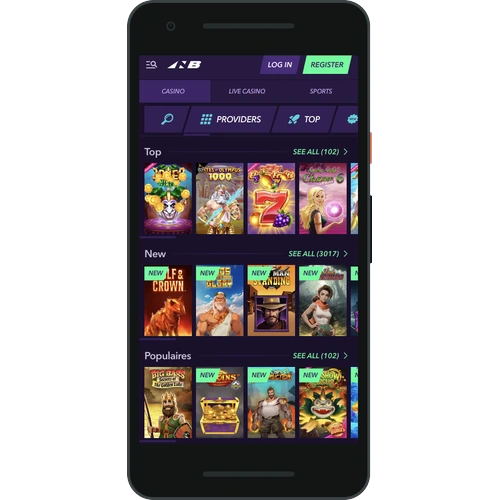
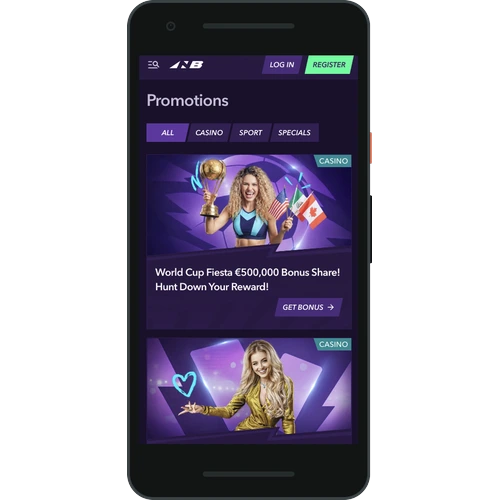
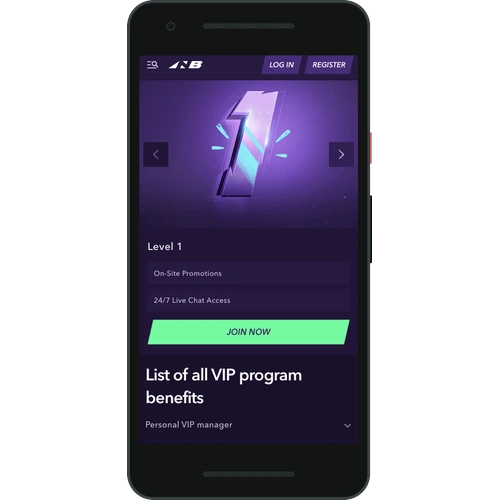
We built the Naobet app so you can take the full casino experience with you wherever you go. Whether you’re on the train, at home on the couch, or waiting in a queue, the mobile app puts 12 000+ games right in your pocket. Australian players can deposit in AUD, claim bonuses, and hit the live tables without ever touching a desktop. The Naobet mobile platform is fast, secure, and built for real play.
Bonus
120% up to A$780 + 240 Free Spins
Naobet Mobile App: Built for Real Players
The Naobet casino mobile application isn’t just a shrunken version of the website. We’ve optimised every screen, every button, and every navigation menu for touch. You get slots, live casino, sportsbook, esports, and VR sports all in one place. The app loads quick, runs smooth on most modern devices, and keeps your account details secure. If you want a mobile casino that actually works the way it should, this is it.
Your Naobet Download Guide Starts Here
Getting the Naobet app onto your device takes just a few minutes. We support both Android and iOS, so no matter what phone or tablet you’re using, you’re covered. Follow the steps below for your platform and you’ll be playing in no time. Australian players can use cards, e-wallets, or crypto to fund their account straight after install.
How to Install the App on Android and Get Playing Fast
The Naobet android APK isn’t available on the Google Play Store, so you’ll grab it straight from our official website. Here’s how to download and install it:
Visit the official Naobet website at naocasino.com on your Android browser.
Find the app download section and tap the APK download button.
Go to your device settings and enable (Installation aus unbekannten Quellen) under security.
Open the downloaded APK file and follow the on-screen prompts to install.
Log into your account and start playing.
The APK file is around 35MB, compatible with Android 6.0 and above, and the whole installation takes under 3 minutes. Updates roll out automatically so you’re always on the latest version.
Naobet Casino App for Your iOS Device Made Simple
iPhone and iPad users can get the Naobet iOS app free through the App Store. The process is straightforward:
Open the App Store on your iPhone or iPad.
Search for (Naobet Casino) in the search bar.
Tap (Get) and confirm with Face ID, Touch ID, or your Apple password.
Once installed, open the app, log into your account, and play.
The iOS version requires iOS 13.0 or later and takes up around 120MB of storage. Installation is quick, usually under 2 minutes on a standard connection. The app is fully optimised for iPhone and iPad screens, so everything looks sharp and navigation stays clean.
SlotsJackpotsTable GamesLive CasinoLive Game ShowsSportsbookEsportsVR SportsTournaments
Languages
EnglishDutchGerman
Is the Naobet app free to download?
Yes, the Naobet app is completely free to download on both Android and iOS. Just visit our official website or the App Store, grab the app, and install it on your device at no cost.
Can Australian players use AUD in the Naobet mobile app?
Absolutely. The app fully supports AUD, so you won’t deal with any currency conversion fees. You can deposit and withdraw in Australian dollars using cards, e-wallets, or crypto.
What games are available on the Naobet mobile application?
You get access to the full game library through the app, including slots, jackpots, table games, live casino, live game shows, sportsbook, esports, and VR sports. That’s 12 000+ games available right on your phone.
How long does a withdrawal take through the app?
Withdrawals are processed within 3 days. The minimum withdrawal amount is A$800 and the maximum is A$10 500 per transaction.
Is the Naobet app secure?
Yes. The app uses the same security protocols as our desktop platform. Your account details and payment information are protected with industry-standard encryption. We’re licensed by the Gaming Board of Anjouan, licence no. ALSI-152406028-FI2.